When Baton is worth it for Claude Code

This page exists to answer one practical question: when does Baton actually improve a Claude Code workflow instead of just wrapping it?

  • Use it when you run multiple prompts at once and want each thread in a clean worktree instead of juggling branches manually.
  • Use it when review matters and you want to inspect diffs before pushing Claude Code output into a PR.
  • Use it when interruptions cost time and you need to see which session is done, blocked, or waiting for input.

The ultimate GUI for Claude Code

Built for developers who already like Claude Code, but want parallel sessions, cleaner git hygiene, and a faster review loop.

Worktree isolation

Every workspace is a separate branch

Each workspace is backed by a real git worktree — a separate working directory with its own branch. That means you can let Claude Code explore, refactor, or fix multiple tasks at the same time without stashing, branch switching, or accidental overlap.

  • Git changes and ahead/behind counts at a glance
  • Launch Claude Code in a new workspace in seconds
  • Push branches and open Pull Requests directly from the app
  • Archive or delete when you're done
Baton workspace overview with project sidebar and workspace cards
Agent monitoring

Know when every Claude Code session needs you

Labeled status badges appear on workspace cards the moment an agent finishes, hits an error, or needs your input. Each badge tells you exactly what happened at a glance. No polling, no tab-switching — just glance at the sidebar. Support varies by agent, and Claude Code is the best-supported flow here.

  • "Input" badge (blue) when an agent is waiting for input
  • "Done" badge (green) when a turn completes successfully
  • "Error" badge (red) when an agent reports an error
  • One-click notification setup for supported setups
Baton notification badges on workspace cards showing agent status
Quick create

From idea to isolated workspace in seconds

Describe what you want to build and Baton generates a branch name, workspace title, and description automatically using AI. Toggle "Accept Edits" to let Claude Code start working immediately without waiting for permission prompts, then spin up the next task just as fast.

  • Supports auto-generation of workspace titles, descriptions, and branch names
  • Launch in any mode — Accept Edits, Plan, Dangerously, and more
  • Global keyboard shortcut to open from anywhere
Baton new workspace dialog with task description, auto-generated branch name, and accept edits toggle
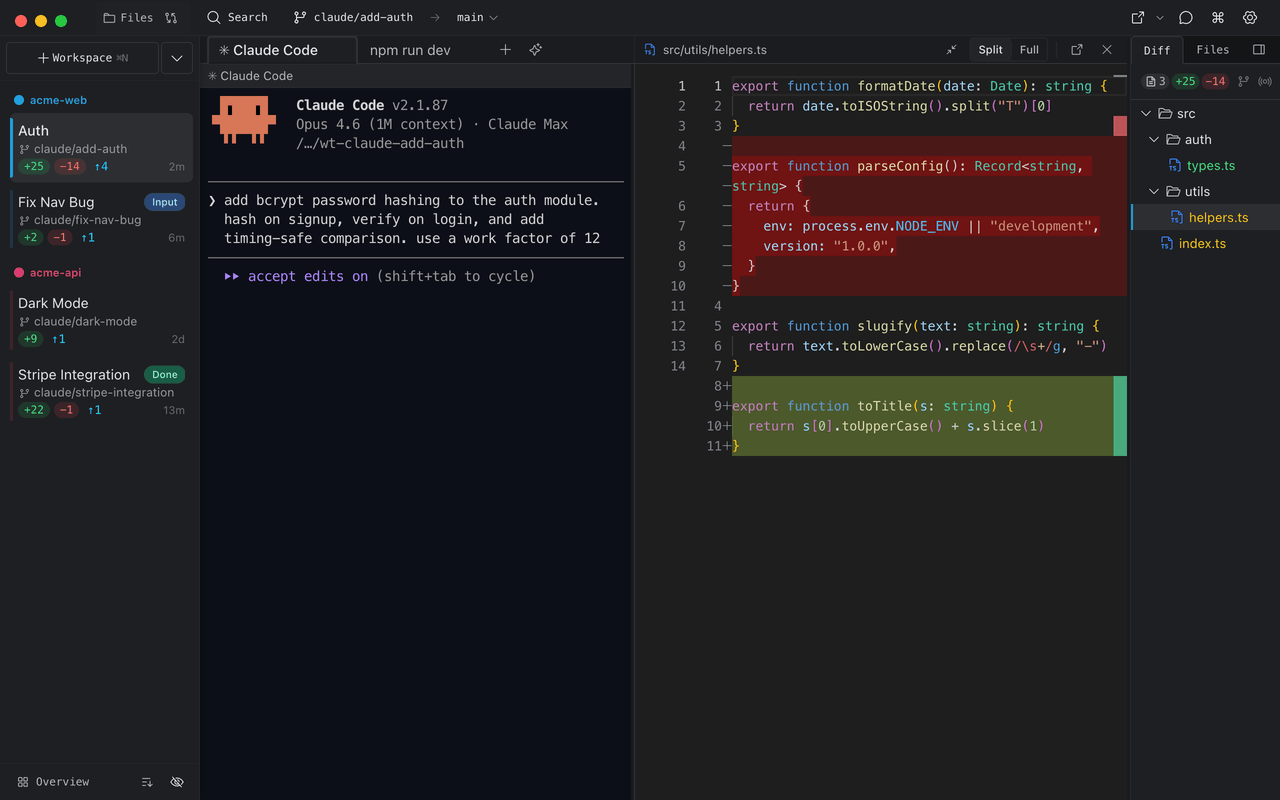
Diff viewer

Review every change before opening a PR

See exactly what Claude Code changed with a Monaco-powered diff viewer. Keep the useful edits, roll back the sloppy ones, and only open a PR when the branch is ready.

  • Split & unified diff modes
  • Roll back individual files
  • Live follow mode — watch Claude Code changes as they happen
  • Compare against any branch, not just main
Baton diff viewer showing side-by-side code changes

Ready to unleash Claude?

Free to use. Mac, Windows, and Linux.